Import a video
Import a video from your computer
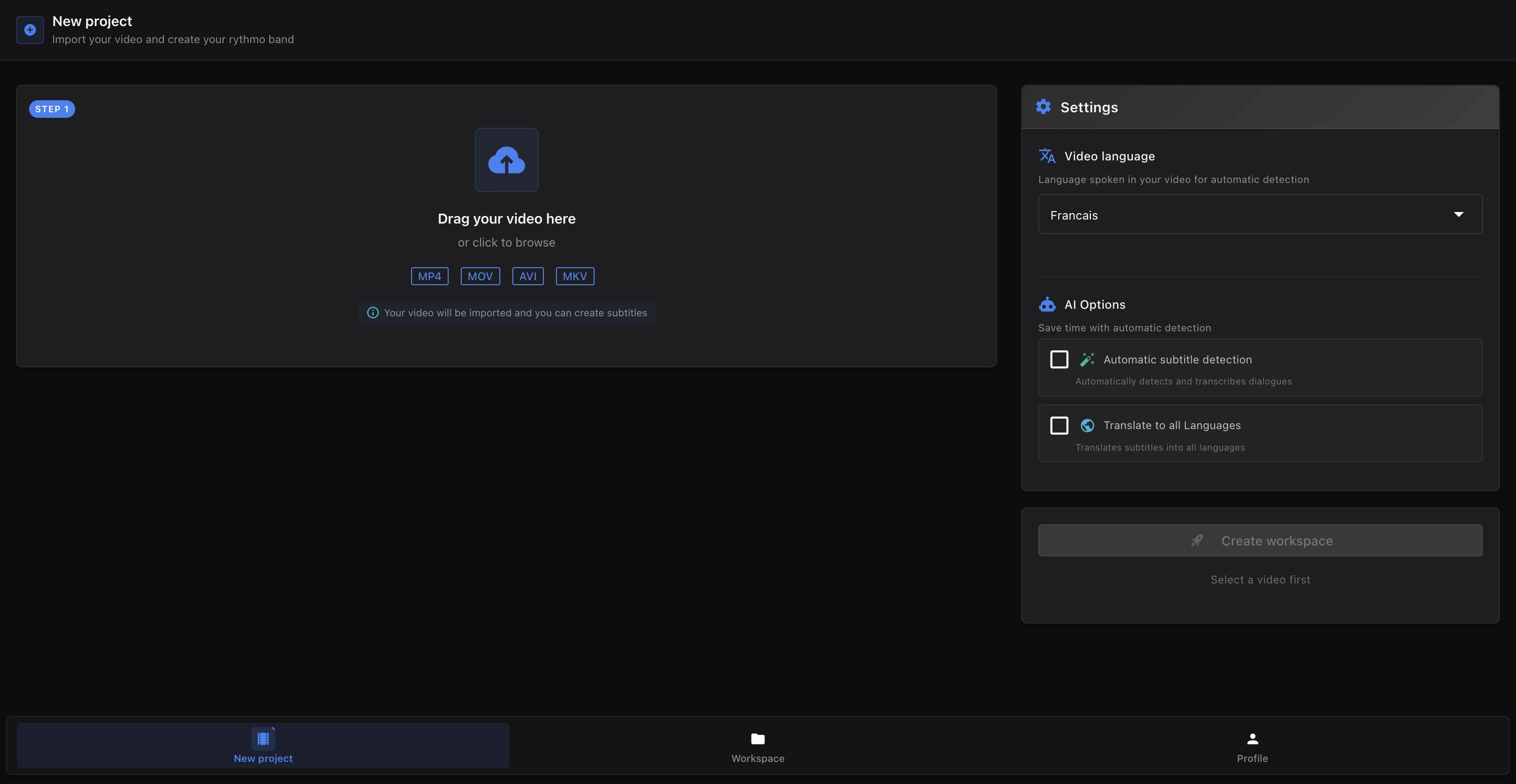
Every Voxdub project starts with a video. You import it from your computer when you create the project.
- Open the New project screen.
- Drag and drop a video file onto the import zone, or click to browse and select one (video files are accepted).
- Refer to the formats and size shown in the screen at import time: that's the up-to-date reference for what Voxdub accepts.
Voxdub is a fully premium studio (€12.99/month). Import is part of the subscription, like every feature.
What happens after import
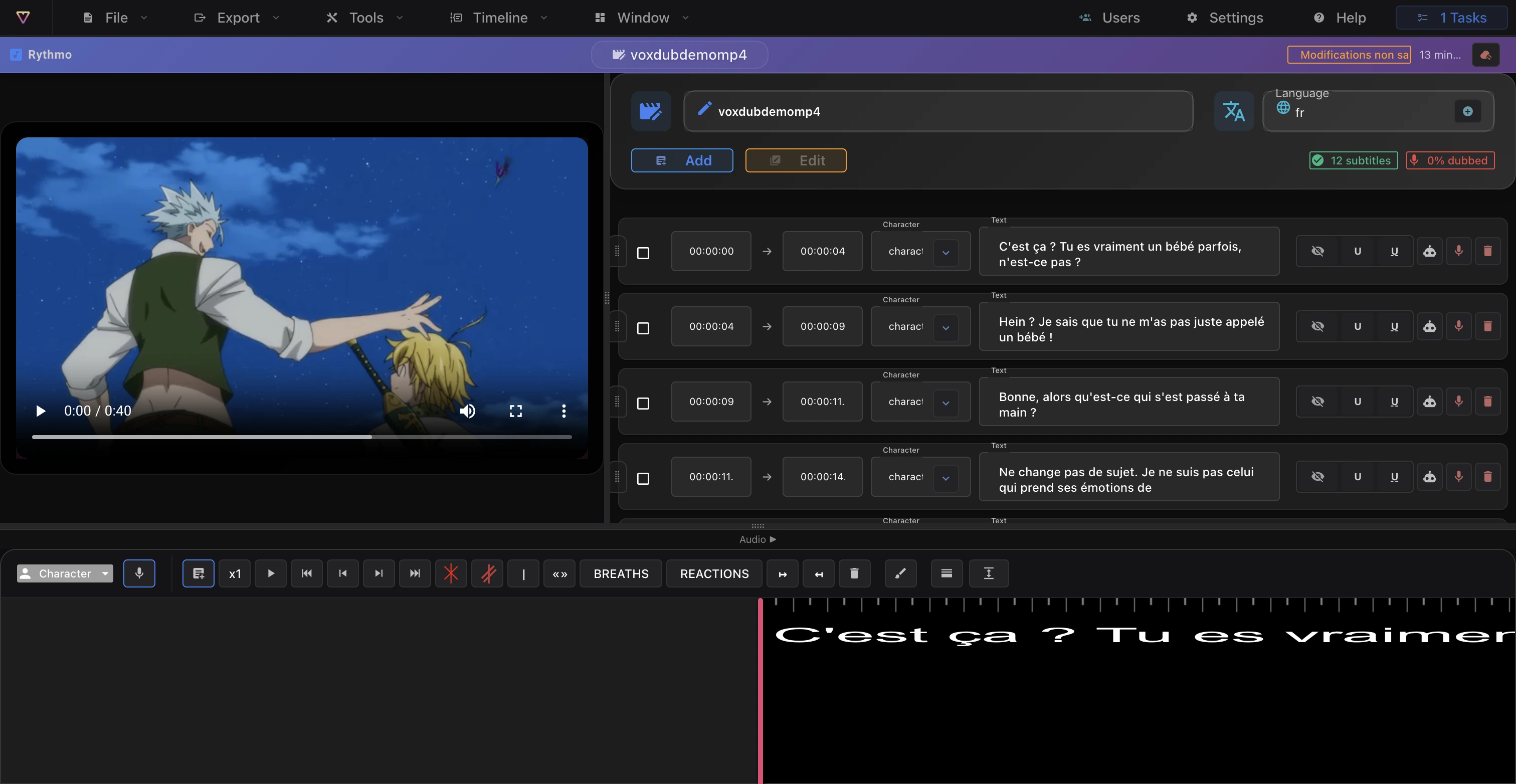
Once the video is imported, the project opens in the editor:
- The video loads in the preview, with its playback controls.
- An empty rythmo band appears below it, ready to receive your lines.
You can then add your first line, or run Automatic subtitles (Tools menu) to detect lines from the audio.
What's next:
- Getting started with the editor to understand the layout.
- Your first dub to write your first lines on the band.
Replace the video's original voices
If you need to swap the base video for a version without the original voices (to deliver a source to dub elsewhere), use Replace the video (no voices) in the Tools menu. This produces a voiceless version of the video; it's the source of the "voiceless" export variant. See Remove the original voices and Export a video.
Import existing dubbing data (DETX)
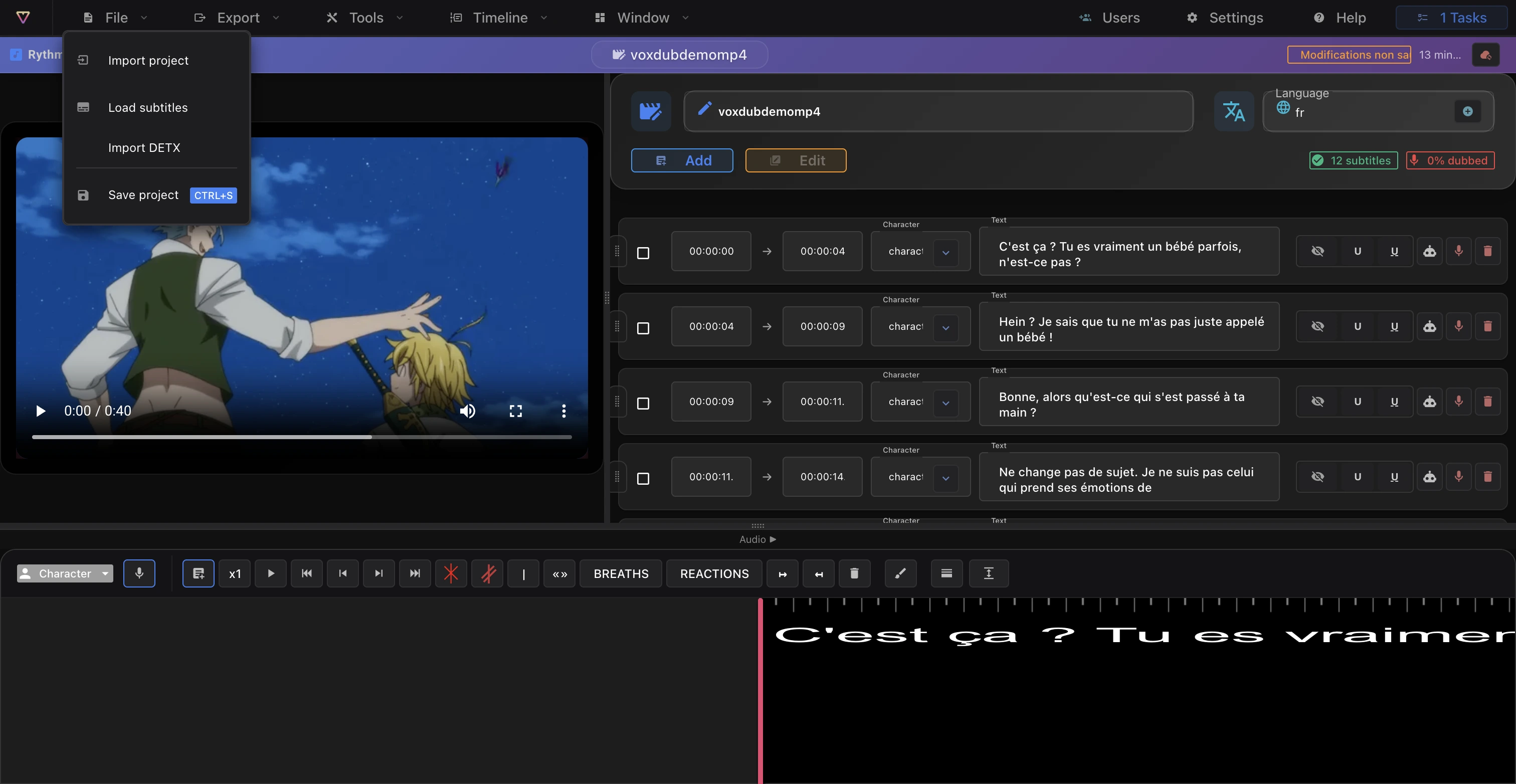
If you already have dubbing data as a DETX file, import it with File › Import DETX. DETX import fills the band from the file's dialogue lines, characters and timecodes.
For the format and the matching export, see Export subtitles and DETX.
Browser and performance
For smooth import and editing:
- Use a recent Chromium browser (Chrome or Edge).
- Long videos are processed server-side: their preparation can take a little time.
Details in Browsers and performance.
Ready to dub your video?
Create an account and start your first project in minutes, right in your browser. 7-day free trial.
Try Voxdub for free