Export a video
Start a video export
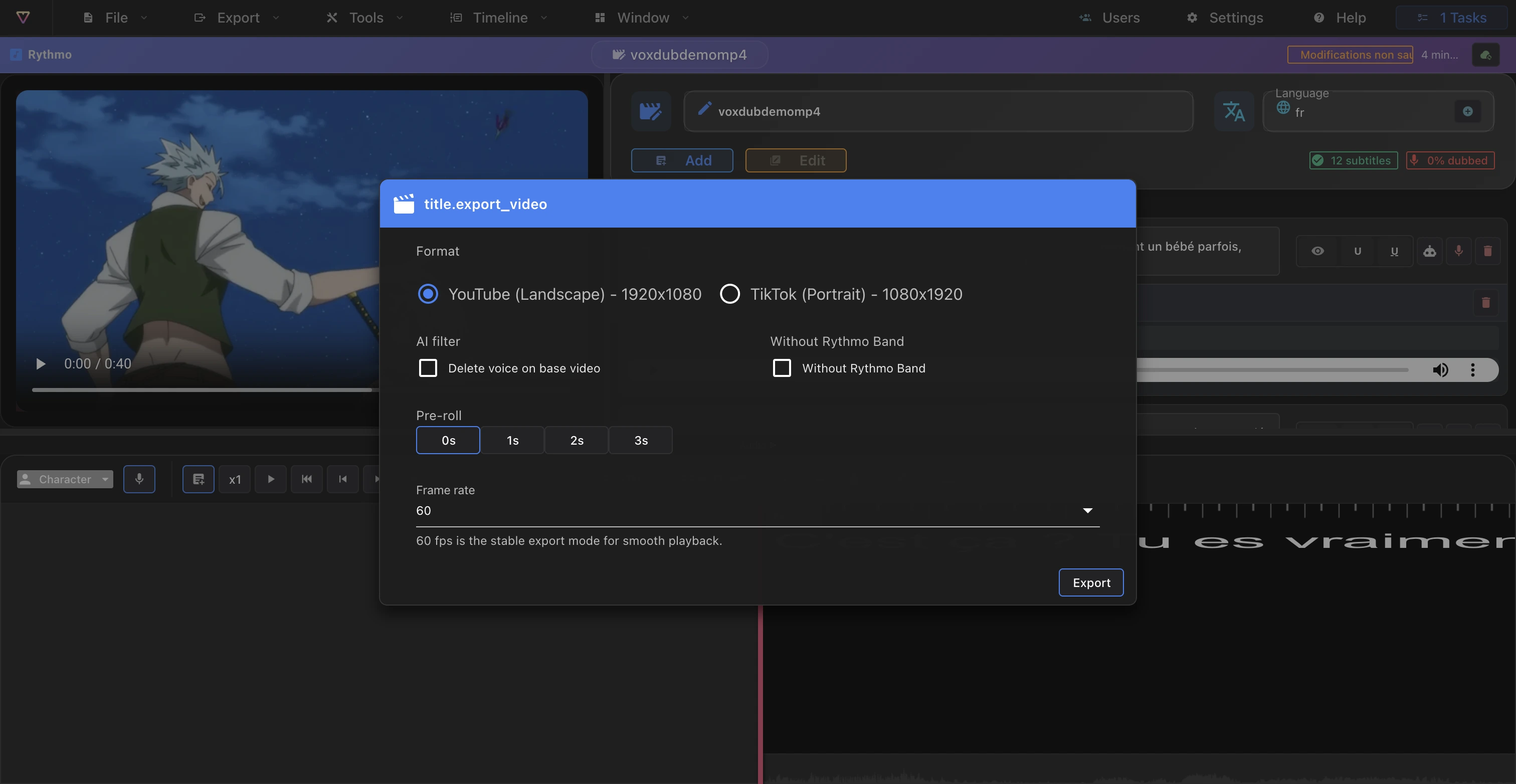
A video export produces an MP4 with the rythmo band burned in over the image. Start it from Export › Export video (1080p), which opens the export dialog.
Export options
The dialog offers a few real options:
- Format: YouTube (landscape) or TikTok (portrait).
- Framerate: choose the output frame rate (some frame rates are Pro).
- Pre-roll: add 0, 1, 2 or 3 seconds of lead-in.
- AI denoise: clean up the audio during the render.
- Without rythmo: export the video without the band burned in.
- Voiceless audio: use the voice-removed audio (only available if you've run vocal removal on the project — see Remove the original voices).
Configure only the options shown in your dialog.
The render runs in the background
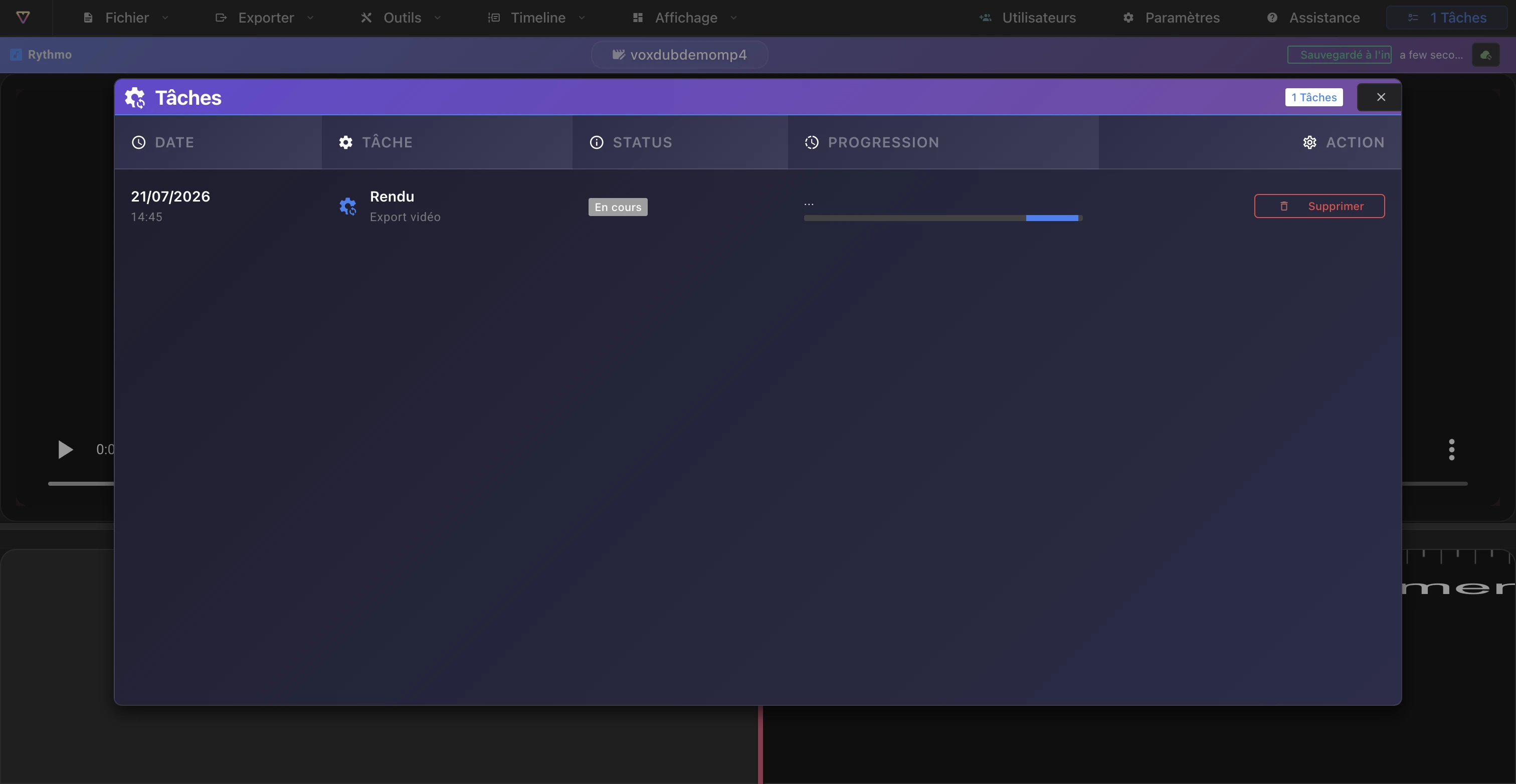
A video export isn't instant. The job is queued and rendered on our servers frame by frame, so you can keep working while it renders.
- Track progress in the Tasks window (open it from the Tasks button in the editor).
- You get an email when the file is ready.
- For long videos, expect a delay proportional to the length.
See Background jobs and emails.
Result: the burned-in rythmo band
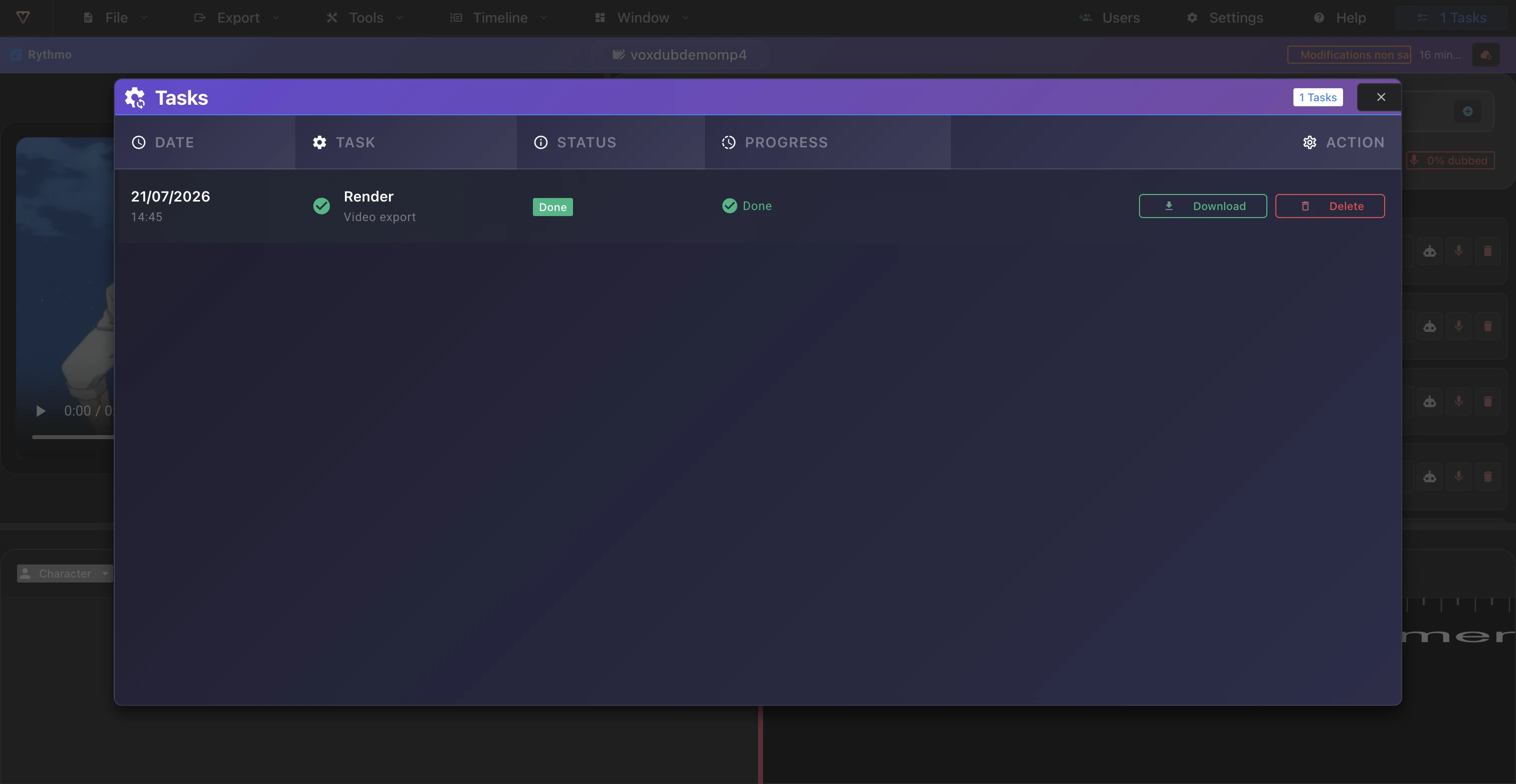
The exported MP4 contains the video with the scrolling rythmo band baked into the image. When the render is done, you can download it from the render dialog or from the Tasks window.
The other export formats
Video is one of Voxdub's outputs. Depending on your deliverable:
- Subtitles and DETX: rich dubbing format plus SRT, ASS, JSON. See Export subtitles and DETX.
- Croisillé and BWF audio: call sheet and BWF audio. See Export audio (croisillé).
Best practices
- Use a recent Chromium browser (Chrome or Edge), especially for long videos. See Browsers and performance.
- Start the render, then let it run; the completion email will let you know.
Pricing
Video export, like every Voxdub feature, is included in the single subscription at €12.99/month. There's no free tier and no separate plan.
Ready to dub your video?
Create an account and start your first project in minutes, right in your browser. 7-day free trial.
Try Voxdub for free