Export audio — croisillé and BWF
The Export menu groups the two outputs tied to your dub's sound: the croisillé (a call sheet) and BWF audio. The first prepares your recording sessions and casting; the second hands the dubbed audio to a studio or an editing station.
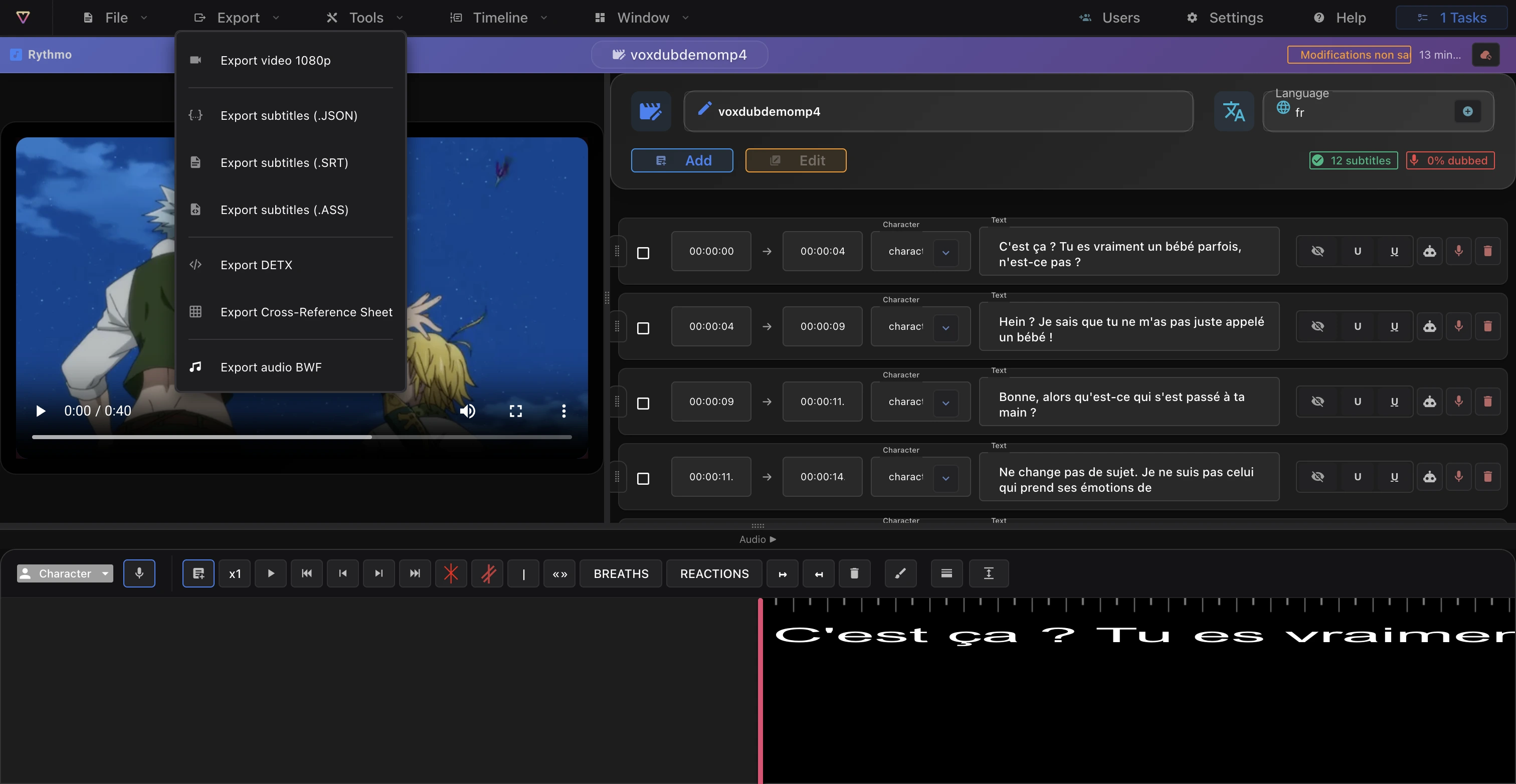
The croisillé (call sheet)
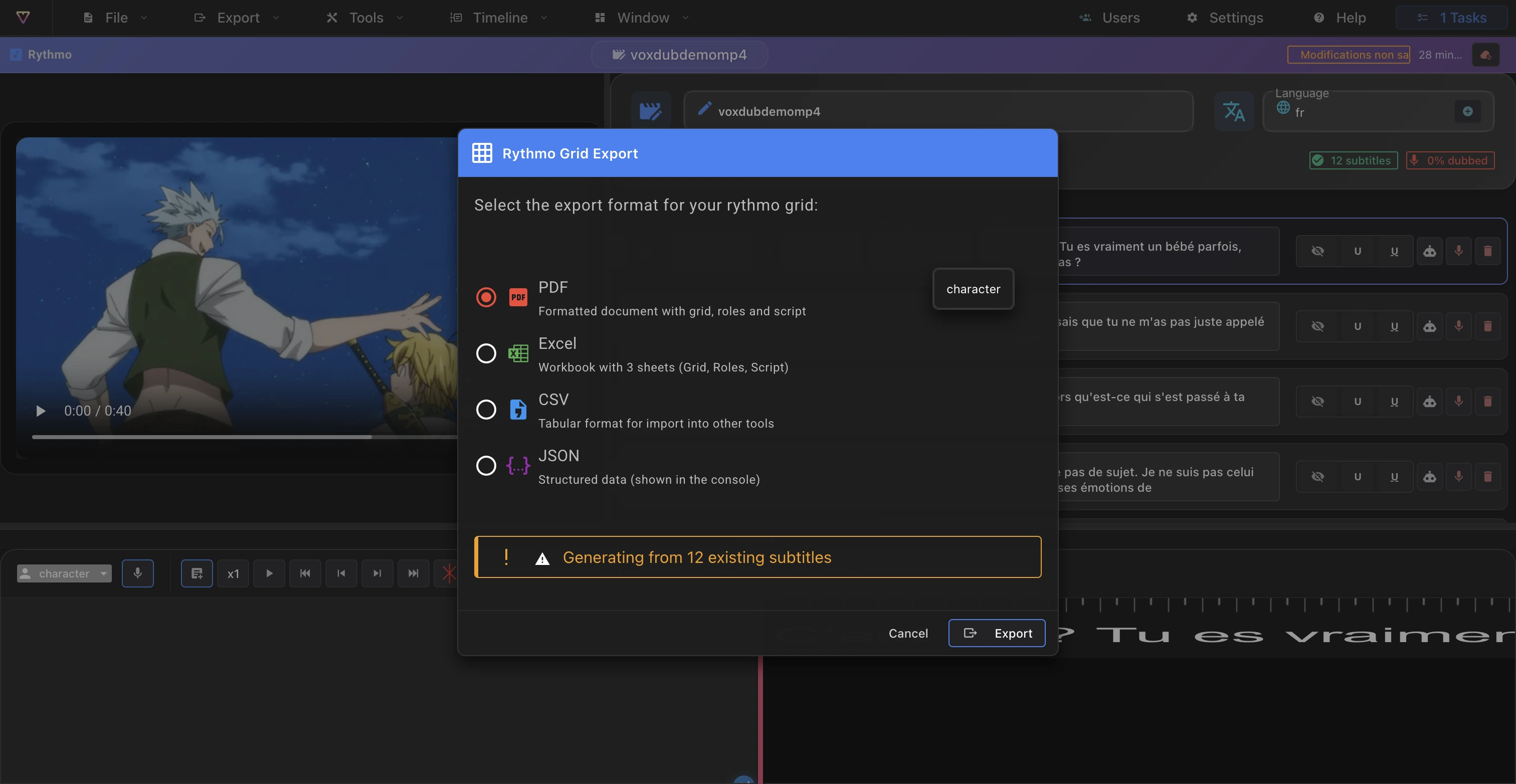
The croisillé is a call sheet built from the recording loops and the characters assigned to your lines. When you export it, you choose a format:
- PDF, Excel, CSV or JSON.
For each role, the call sheet lists the character with its voice type and its line count, organized by loop.
Where the croisillé data comes from
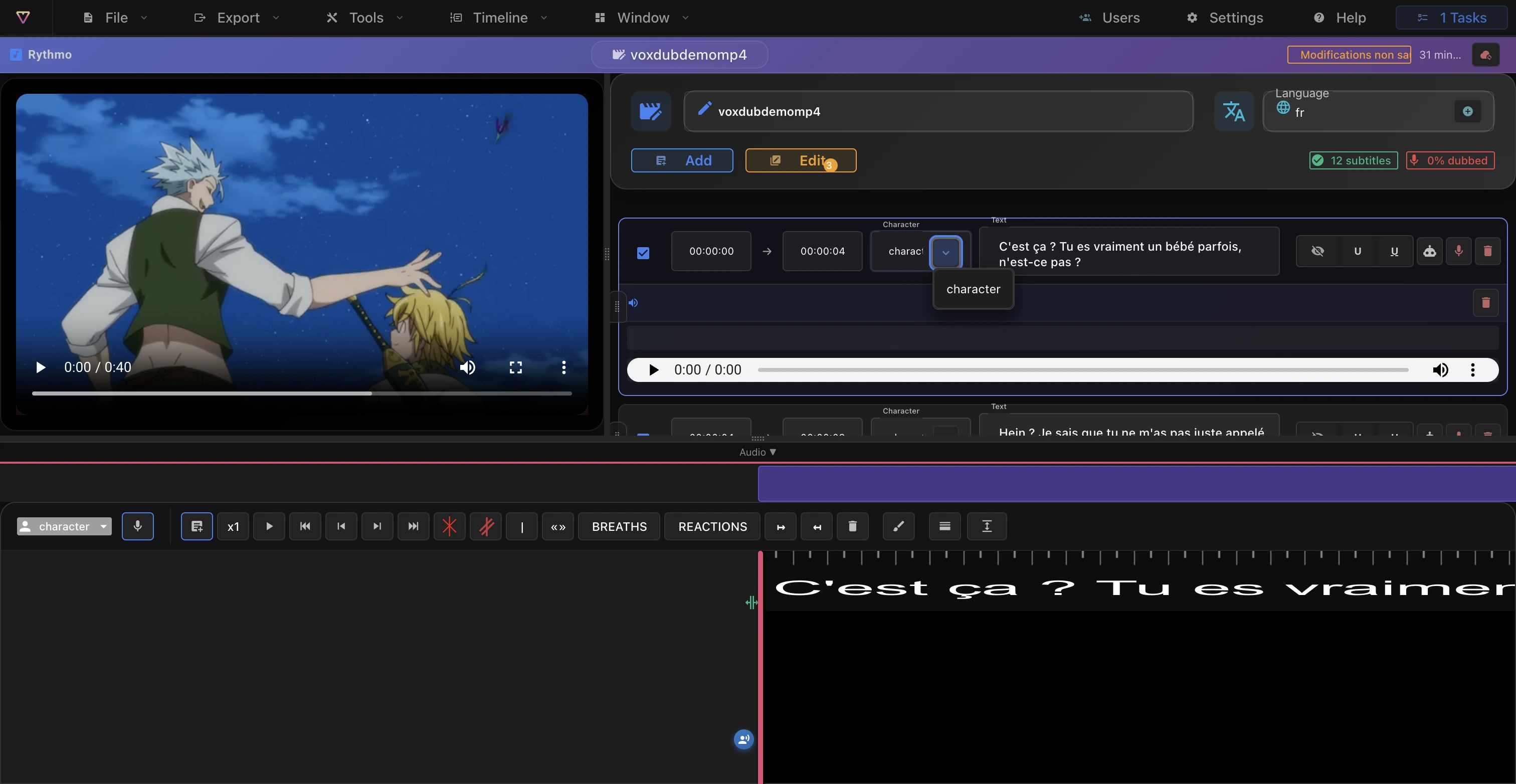
The croisillé only contains what you defined in the editor:
- The recording loops on the band (each loop is a window reserved for an actor). See The rythmo band tools.
- The characters assigned to your lines, with their voice type. See Characters.
The more your loops and characters are filled in, the more complete the call sheet.
BWF audio
BWF (Broadcast Wave Format) exports your project's dubbed audio (a Pro feature). It's the format to hand the sound to a studio or import into a DAW to remix with the rest of the soundtrack. You can configure BWF metadata before exporting (Export › Configure BWF metadata).
The exported audio comes from what you produced in the editor: your recorded voice or the AI-generated voice (see Record your voice and Generate an AI voice).
Summary
- The croisillé is a call sheet built from loops and characters, exported as PDF, Excel, CSV or JSON.
- BWF hands the dubbed audio to a studio or a DAW (Pro).
- Both come from the Export menu.
All export features are included in the €12.99/month subscription.
Ready to dub your video?
Create an account and start your first project in minutes, right in your browser. 7-day free trial.
Try Voxdub for free