Assigning characters to lines
What a character is
A character (or role) is a label you attach to a line: it tells you who speaks on that dialogue line. Assigning characters structures your project and feeds the croisillé export (the call sheet).
Where to assign a character
Assignment happens in the script panel (the list of dialogue lines). Each line has a Character field.
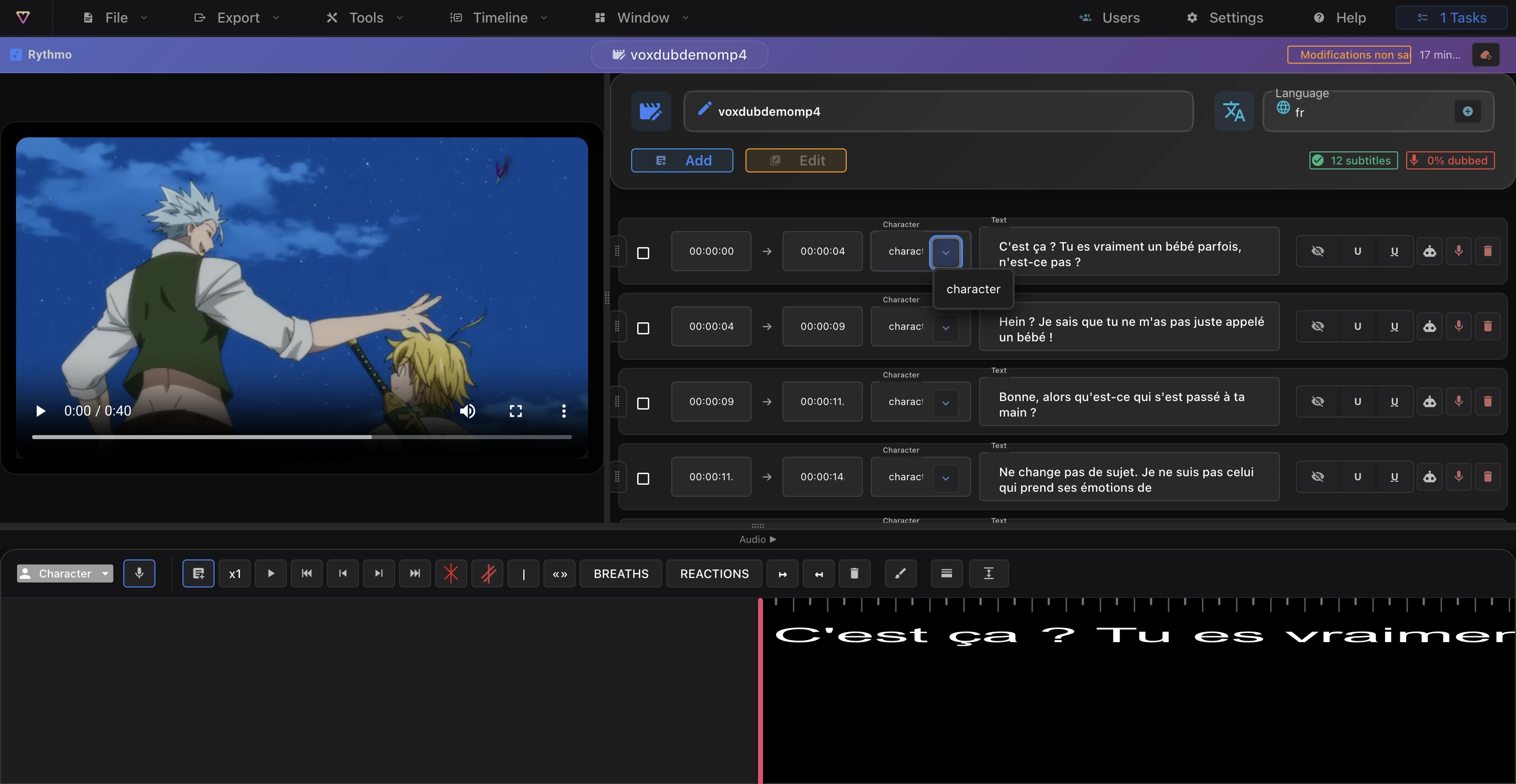
The Character field is a free-text field with a dropdown:
- Pick an existing character: open the dropdown and choose one of the names already used in the project.
- Create a character: simply type a new name in the field. It becomes available in the dropdown for other lines.
- Remove the character: clear the field to leave the line without a role.
There is no separate "new character" or "no character" button — you type the name directly, or reuse one from the dropdown.
The voice type: masculine or feminine
Alongside the character, each line has a voice type, in the same script panel:
- Masculine or feminine (or excluded from voice generation).
- AI voice generation uses this to produce a voice consistent with the role. See Generate an AI voice.
Character and voice type are separate fields: you can change one without touching the other.
Character colors
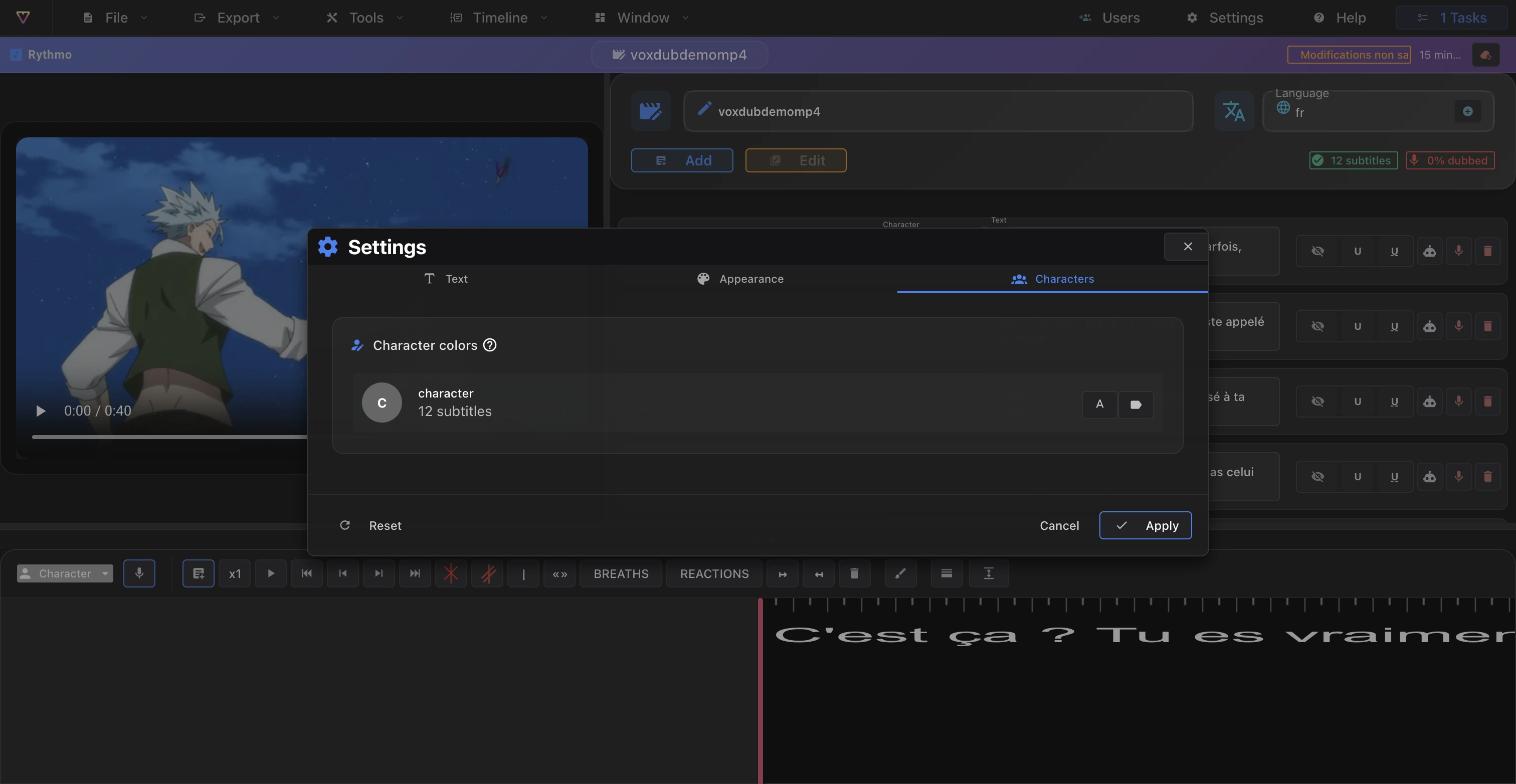
Give each character its own colors so the actors are easy to tell apart on the band. You set a text color and a badge color per character in the editor Settings, Characters tab. See Editor display settings.
Characters at export
When you generate the croisillé export, Voxdub builds a call sheet from your lines: each assigned character appears with its voice type and its line count. The more your lines carry a character, the more useful the call sheet is for organizing recording sessions.
For the format, see Export audio (croisillé).
Related articles
- The rythmo band and its tools — the band toolbar and the script panel.
- Editor display settings — character colors.
- Export audio (croisillé) — how characters appear in the call sheet.
Ready to dub your video?
Create an account and start your first project in minutes, right in your browser. 7-day free trial.
Try Voxdub for free