Generate an AI voice
What it's for
The Generate AI voice tool (labelled Generate Vocal AI, in BETA) generates a synthetic voice for a dialogue line, with no mic or recording setup. It's the alternative to recording your own voice: handy for testing a result, dubbing a line quickly, or mixing AI and recorded voices in the same project.
Like every Voxdub feature, it's included in the €12.99/month subscription (a Pro feature).
Where to find it
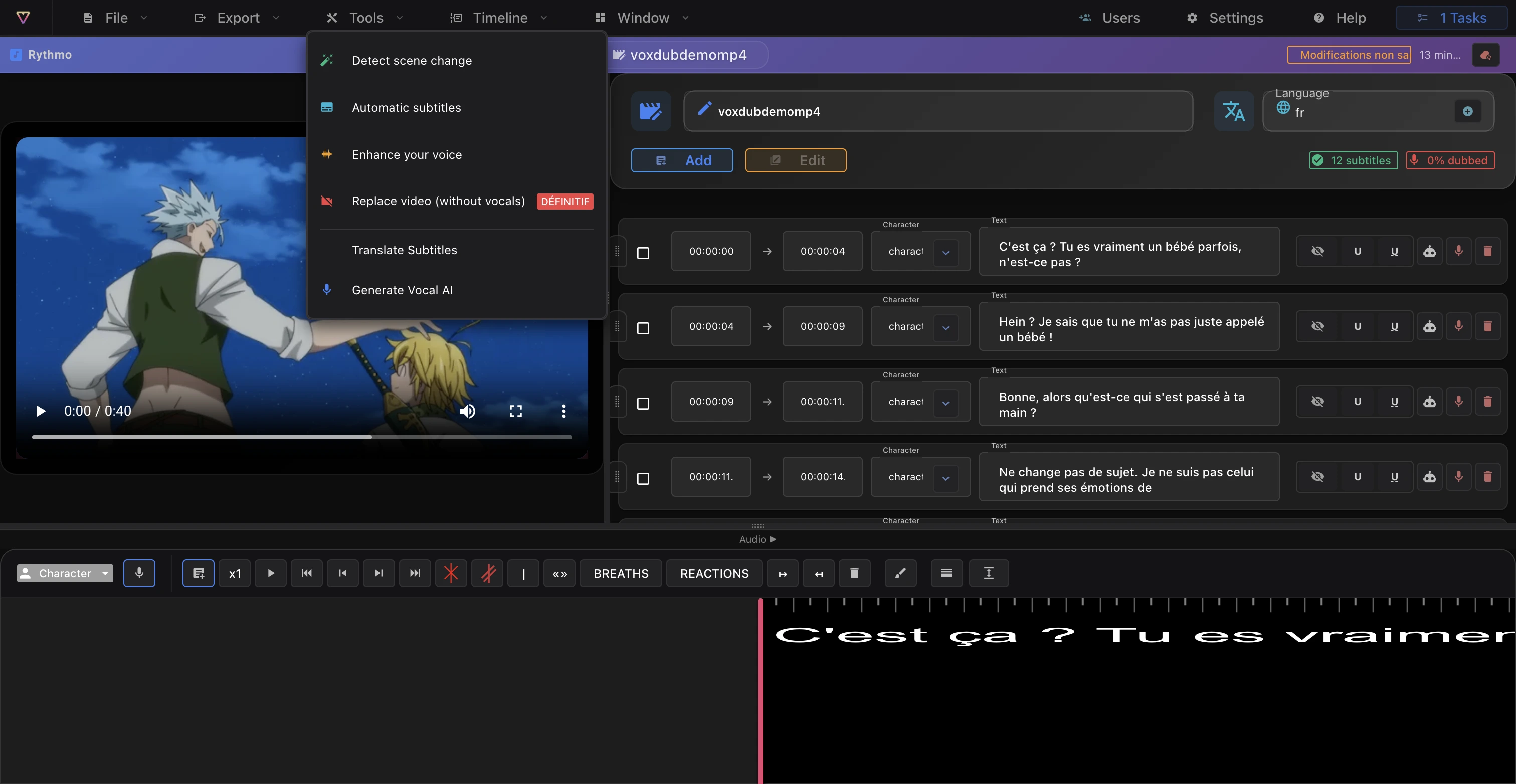
Generate AI voice lives in the Tools menu.
- First select a dialogue line (on the band or in the script panel).
- Then run Generate AI voice to start generation on that line. A line in the script panel also has a Gen button to generate its voice.
Generate the voice
- Select the line to dub.
- Run Generate AI voice (or the line's Gen button).
- Generation runs as a background job: the voice appears on the line once processing finishes.
You can keep working while it computes. It follows the same pipeline as Voxdub's other jobs: see Background jobs and emails.
Choose the voice type
The voice type is set on the line, in the script panel:
- Masculine or feminine voice per line.
- You can also mark a line as excluded from voice generation.
Set this before generating to get the right result the first time.
Voice language
The AI voice uses the language of the active band.
- To dub in another language, translate the band first with Translate subtitles, then generate the voice. See Translate a band.
Adjust and regenerate
- Each line has a speed-rate slider to fine-tune the pace of the generated audio against the line's duration.
- If the result isn't right, run generation again on the line. If a job fails, retry: the line keeps its text, only the voice is recomputed.
- To clean up a noisy result, Enhance your voice (in the Tools menu) runs an audio denoise pass.
Mix AI and recorded voices
The voice type is chosen line by line. Within one project you can generate an AI voice on some lines and record your own voice on others (⌘ K toggles recording).
Ready to dub your video?
Create an account and start your first project in minutes, right in your browser. 7-day free trial.
Try Voxdub for free