Record your voice
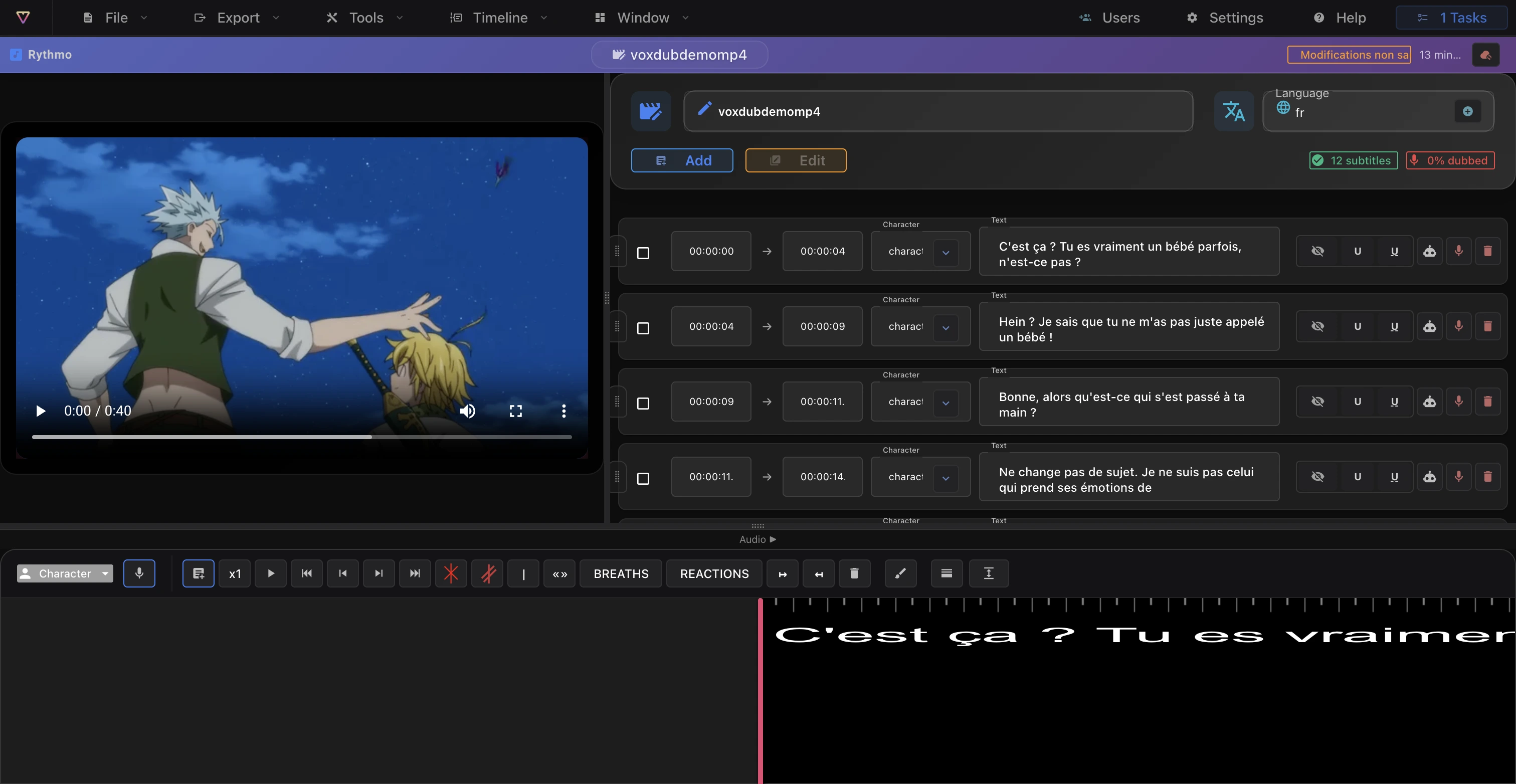
Voxdub includes a built-in recorder so you can dub with your own voice, right on the rythmo band. You record from your microphone onto a line, then save it to the project.
Recording is included in the €12.99/month subscription; every feature is premium.
Record a line
- Select the line to dub in the script panel or on the rythmo band.
- In the recording control on the rythmo band toolbar, optionally pick the character you're recording.
- Start recording with the Record button, or with the ⌘ K shortcut (⌘ = Ctrl on Windows/Linux).
- ⌘ K is a toggle: press once to start, again to stop. The video plays while you record so the band scrolls in time.
The ⌘ K = record shortcut is listed under Settings › Shortcuts. See Keyboard shortcuts.
Allow the microphone
- On your first recording, your browser asks for microphone access: allow it, otherwise nothing is captured.
- Use a recent Chromium browser (Chrome / Edge). See Browsers and performance.
Organize with loops
For longer sessions, place recording loops on the band (per actor, per scene) and jump between them. Loops also feed the croisillé call sheet. See The rythmo band tools.
Adjust the take
Once recorded, the take is tied to the line and its character:
- The line in the script panel shows a mini waveform and a small audio player to review the take.
- A speed-rate slider fine-tunes the pace of the take against the line's duration.
- To replace a take, simply re-record on the same line.
- To clean up background noise, run Enhance your voice (Tools menu) for an audio denoise pass.
Saving
- ⌘ S saves the project (including your takes) to the server; autosave does the same periodically. See Autosave and undo.
- Recordings are stored with the project, not in a version history.
Combine with AI voice
You can mix recorded voices and AI voices in the same project, line by line.
Tips
- Use headphones so the video's sound isn't picked up by the mic.
- Work in loops to organize long recording sessions.
- If the editor slows down after a long session, see Browsers and performance.
Ready to dub your video?
Create an account and start your first project in minutes, right in your browser. 7-day free trial.
Try Voxdub for free