Deactivate your account
Before you deactivate: your subscription
Every Voxdub feature is premium: access costs 12.99 EUR/month and there is no free tier.
Important: deactivating your account does not automatically cancel your Stripe subscription. If a subscription is active (or paused), you keep being billed even after deactivation.
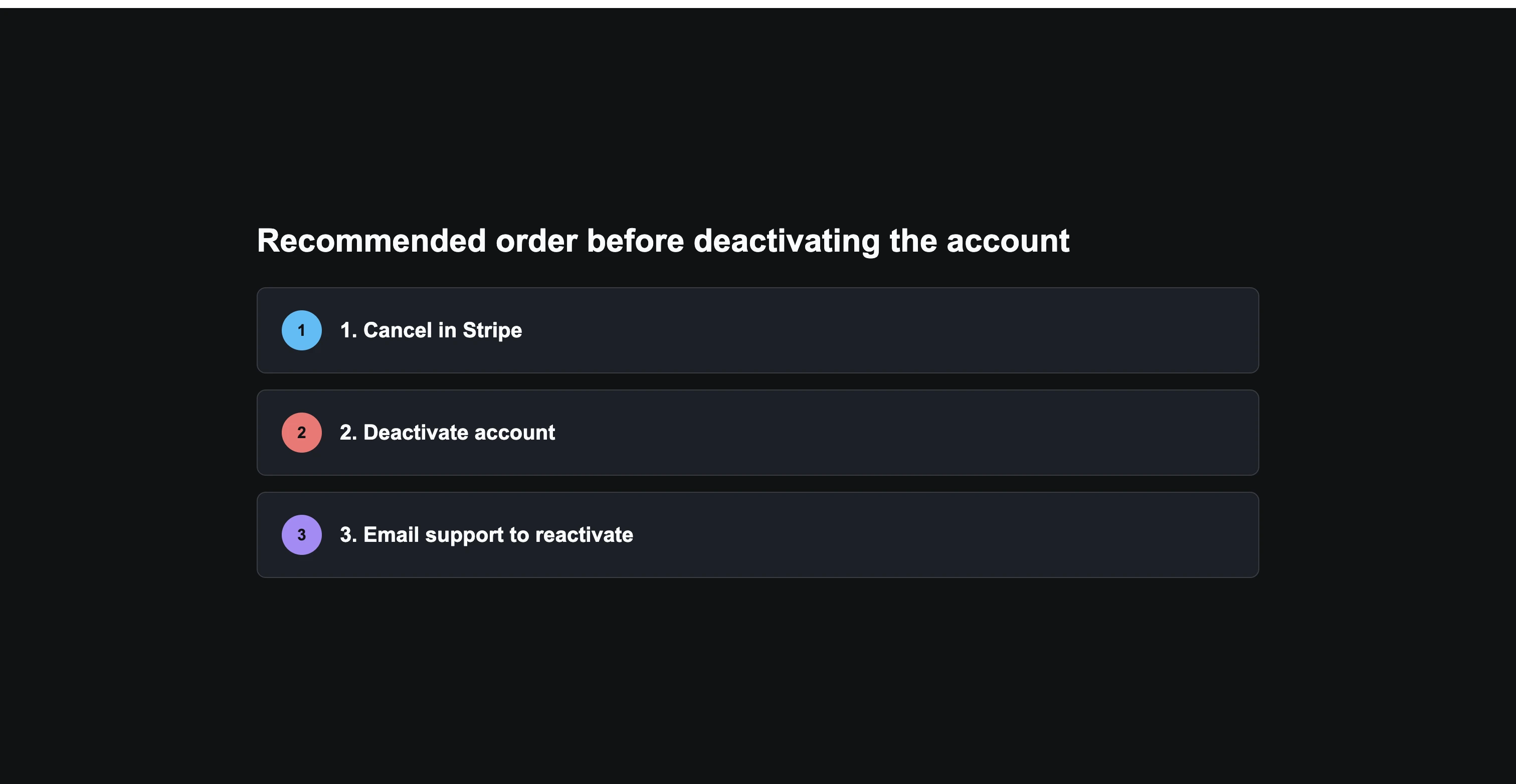
The right order:
- 1. Cancel or manage your subscription first, from the Stripe billing portal. See Manage or cancel your subscription.
- 2. Once billing has stopped, deactivate the account.
Where to find deactivation
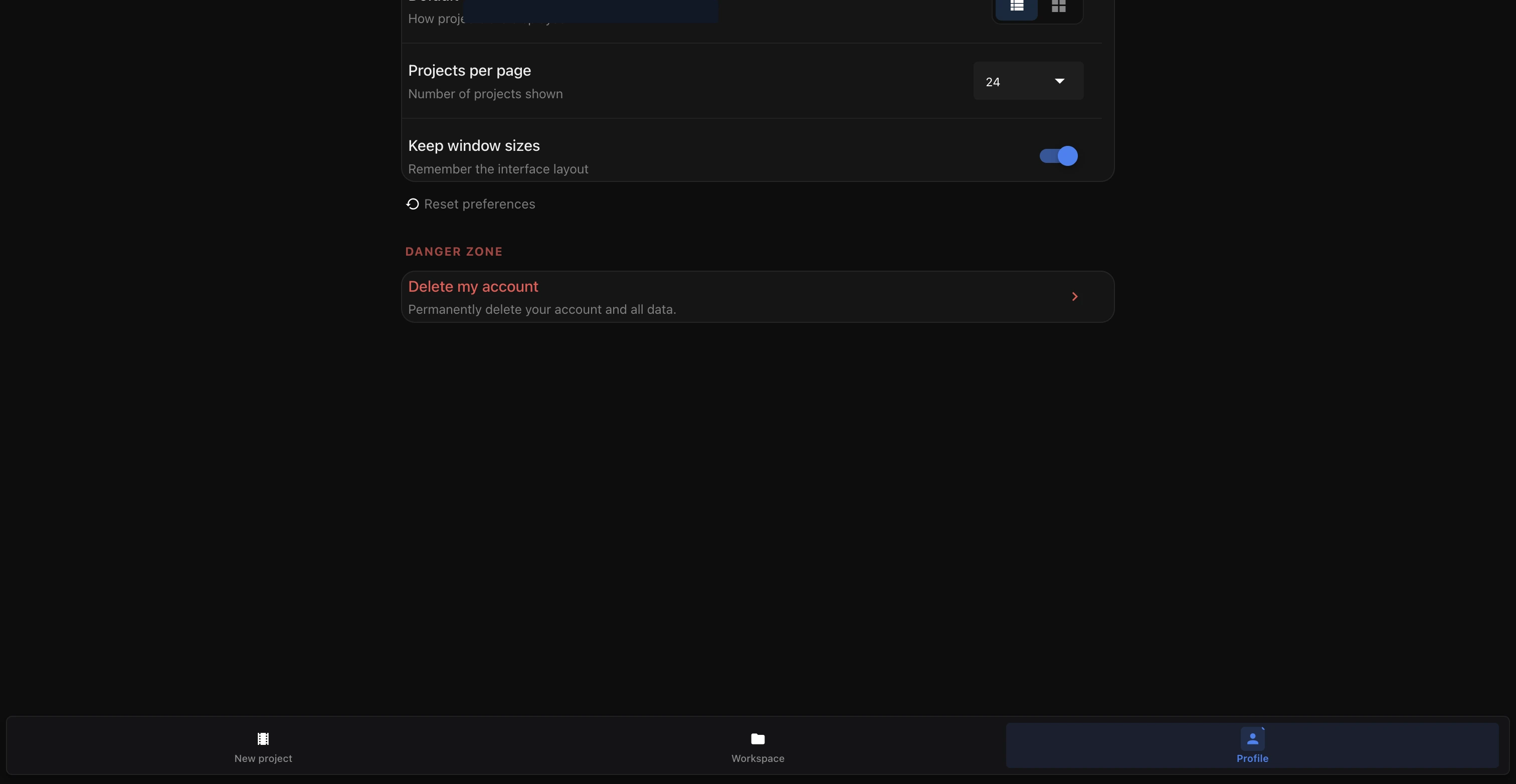
- Open your account Settings.
- Go to the Account tab.
- The deactivation button is in the danger zone, at the bottom of that section.
What happens right away
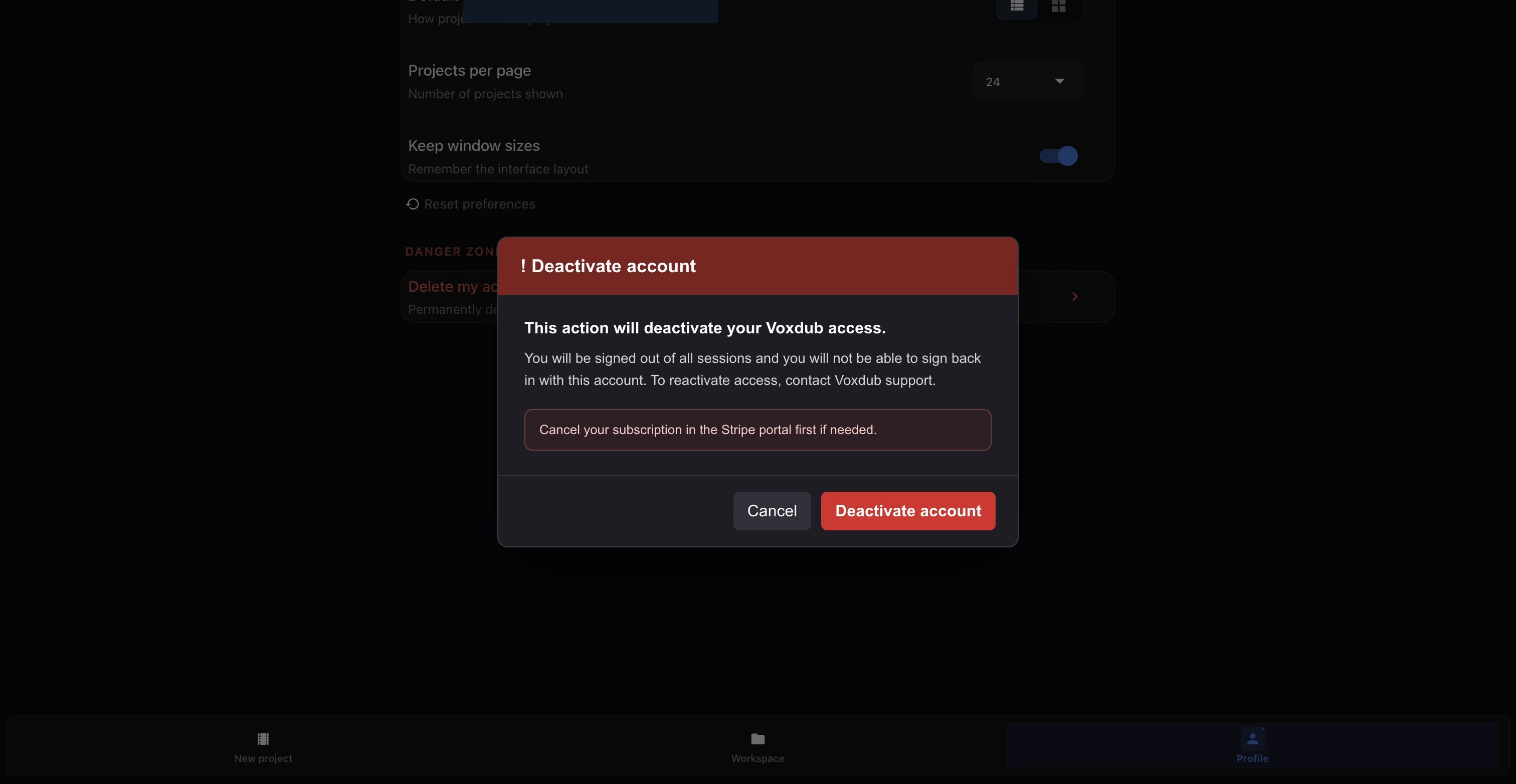
When you confirm deactivation:
- You are logged out of every session, on all your devices.
- You can no longer log back in while the account stays deactivated.
- Your projects and data are kept on the server; they are not deleted.
Deactivation vs. deletion: the difference
- Deactivation: reversible. The account is put to sleep; you can ask support to reactivate it.
- Permanent data deletion: there is no self-service button for this in the current interface. If you want your data deleted, contact support directly.
Don't mix up the two: deactivating does not destroy your data, it only stops you from logging in.
Reactivating your account
Reactivation is not automatic and is not self-service.
- Email hello@voxdub.com from the account's email address.
- State that you want to reactivate your account.
Reminder: if you didn't cancel your subscription before deactivating, also check its status in the Stripe portal (see Manage or cancel your subscription).
Related articles
- Login and security — log in, manage security and your account.
- Manage or cancel your subscription — stop billing before you deactivate.
Need help
- Discord: join the server
- Email: hello@voxdub.com
Ready to dub your video?
Create an account and start your first project in minutes, right in your browser. 7-day free trial.
Try Voxdub for free